GameMaker-Save
A downloadable extension
GameMaker-Save — Secure & Reliable Save System for GameMaker
Why GameMaker‑Save?
If you ship a desktop game, save integrity matters. GameMaker‑Save delivers production‑grade local saves with real cryptographic protection and battle‑tested file handling — without forcing you to become a crypto expert.
Key benefits
- Robust against crashes: atomic writes (temp file → rename) prevent half‑written saves on power loss or crash.
- Tamper detection: authenticated encryption (XChaCha20‑Poly1305) detects any modification to the save file.
- Secure passphrases: PBKDF2‑HMAC‑SHA256 (100,000 rounds) derives keys from passphrases — the heavy work runs once per session and is cached.
- Key rotation: add "fallback" passphrases so you can change your game's encryption key between versions without breaking player saves.
- Fast save‑selection UI: read slot version and timestamp from the file header without decrypting the payload (instant UI).
- Utilities included: slot list, copy, backup/restore, export/import for Steam/Cloud integration.
- Cross‑platform native binaries: .dll (Windows), .so (Linux), .dylib (macOS) are provided for desktop builds.
- Simple GML API: functions like
gmsave_init,gmsave_save,gmsave_load,gmsave_list_slots— plug it into your project in minutes. - Open source & dual licensed: (MIT OR Apache‑2.0).
What you get (download contents)
- GameMaker-Save-v0.2.0.zip — main distribution (gm_save.yymps, gm_save.gml, LICENSE, README)
- GM-Save‑Demo‑Project.zip — minimal demo project showing how to init, save/load and display slots
- Source on GitHub: https://github.com/NiZaMinius/GameMaker-Save
Quick start (3 steps)
- Download
GameMaker-Save‑v0.2.0.zipand importgm_save.yympsto your GameMaker project: Tools → Import Local Asset Package. - In a persistent controller object, call:
var key = gmsave_make_key(["MY_","SECRET_","KEY_V2"]);gmsave_init(key);
- Save and load:
gmsave_save(1, my_struct);var s = gmsave_load(1);
Example (minimal)
// Build key at runtime (prevents secret being embedded in data.win)
var _key = gmsave_make_key(["MY_", "SECRET_", "KEY_V2"]);
gmsave_init(_key);
// Save
var data = { hp: global.hp, level: global.level };
gmsave_save(1, data);
// Load
var loaded = gmsave_load(1);
if (loaded != undefined) {
    global.hp = loaded.hp;
    global.level = loaded.level;
} else {
    show_message("Save not found or corrupted: " + gmsave_last_error());
}
Notes & platform support
- Native extension is provided for desktop targets (Windows, macOS, Linux) via .dll/.so/.dylib.
- This extension relies on native binaries — pure HTML5 exports and some mobile/console targets do not support native extensions. For those targets, consider using the demo's fallback approach (serialize via db/SNAP and use a GML‑only save flow).
- If you need help choosing how to integrate for multi‑platform releases, see the demo and the README.
Demo
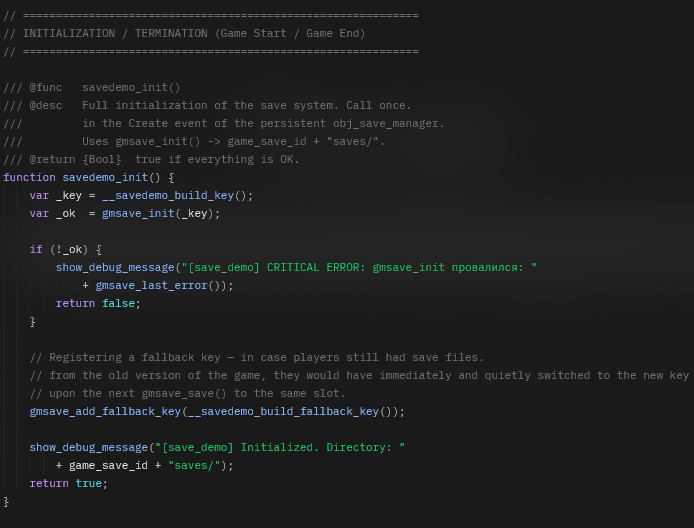
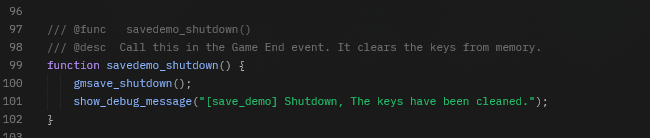
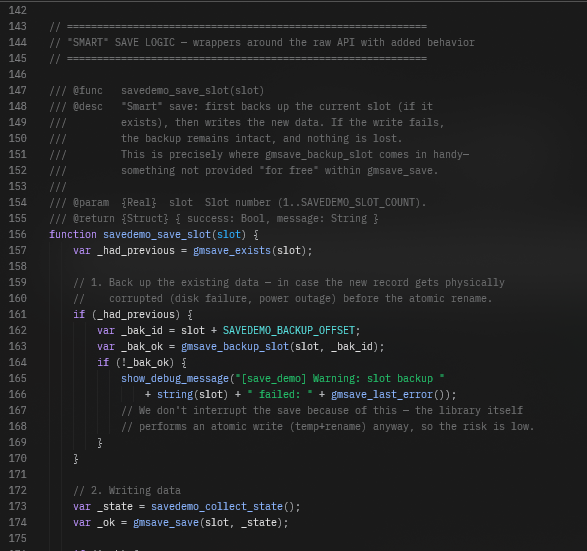
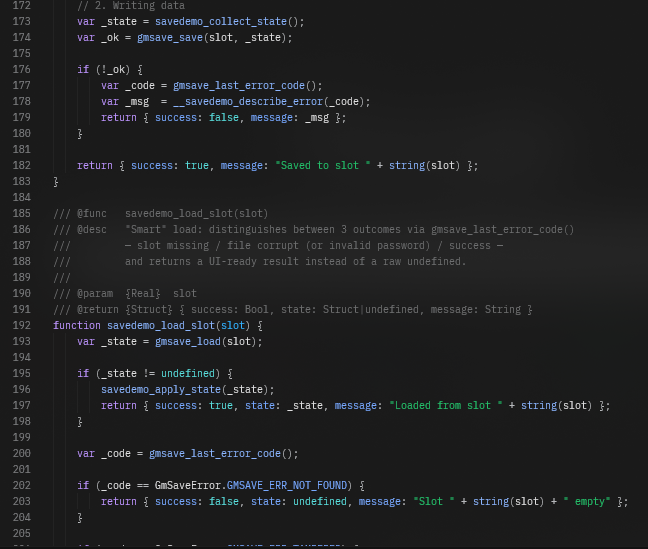
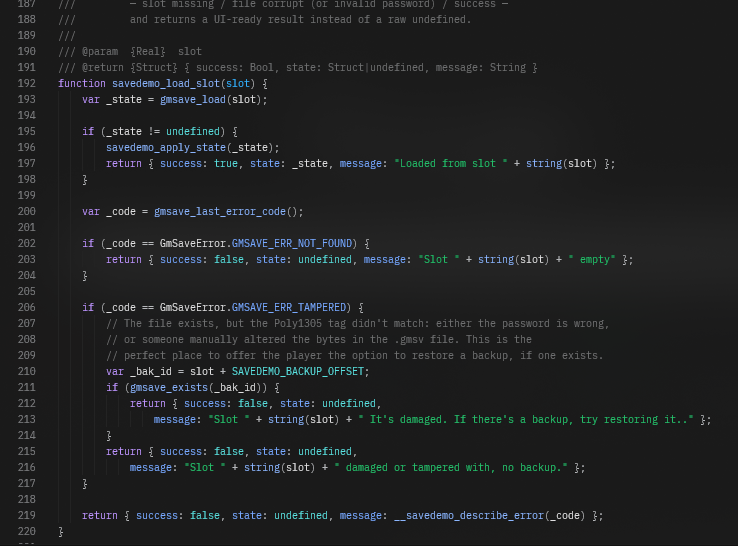
The demo project included shows a small UI that saves/loads slot 1, lists slots, and prints errors returned by the extension.
License & support
- Dual license: MIT OR Apache‑2.0 (choose one for your usage). See included LICENSE files.
- Repo & issues: https://github.com/NiZaMinius/GameMaker-Save
- Contact: github.com/NiZaMinius
Download
Install instructions
How to install the extension:
- Extract the downloaded GameMaker-Save-v0.2.0.zip archive.
- Open your project in GameMaker.
- In the top menu, go to Tools → Import Local Asset Package.
- Select the
gm_save.yympsfile and import all assets into your project.
Tip: We highly recommend checking out the GM-Save-Demo-Project.zip to see a working example of saving, loading, and handling UI.
Leave a comment
Log in with itch.io to leave a comment.